rilascio
Pourscan 2.0: guided WCAG accessibility testing
Website accessibility testing against WCAG 2.1, WCAG 2.2 and AgID, with simulations, remediation guidance, reports and accessibility statement support.
 (enlarge)
Anyone working on website accessibility knows it: automated checks are the starting point, not the finish line. Many WCAG 2.1 success criteria require human judgement: you have to navigate the page using a keyboard, check what a screen reader announces, enlarge the text and test the forms. It remains a demanding part of accessibility testing, even with software support.
Pourscan 2.0 addresses this challenge. The new version does not stop at telling you what is missing: it guides you through manual assessment, criterion by criterion, all the way to preparing the data for the accessibility statement.
To demonstrate the new version, we analysed a real website, www.convalido.it, from start to finish. The images in this article come from there.
From scan to accessibility statement
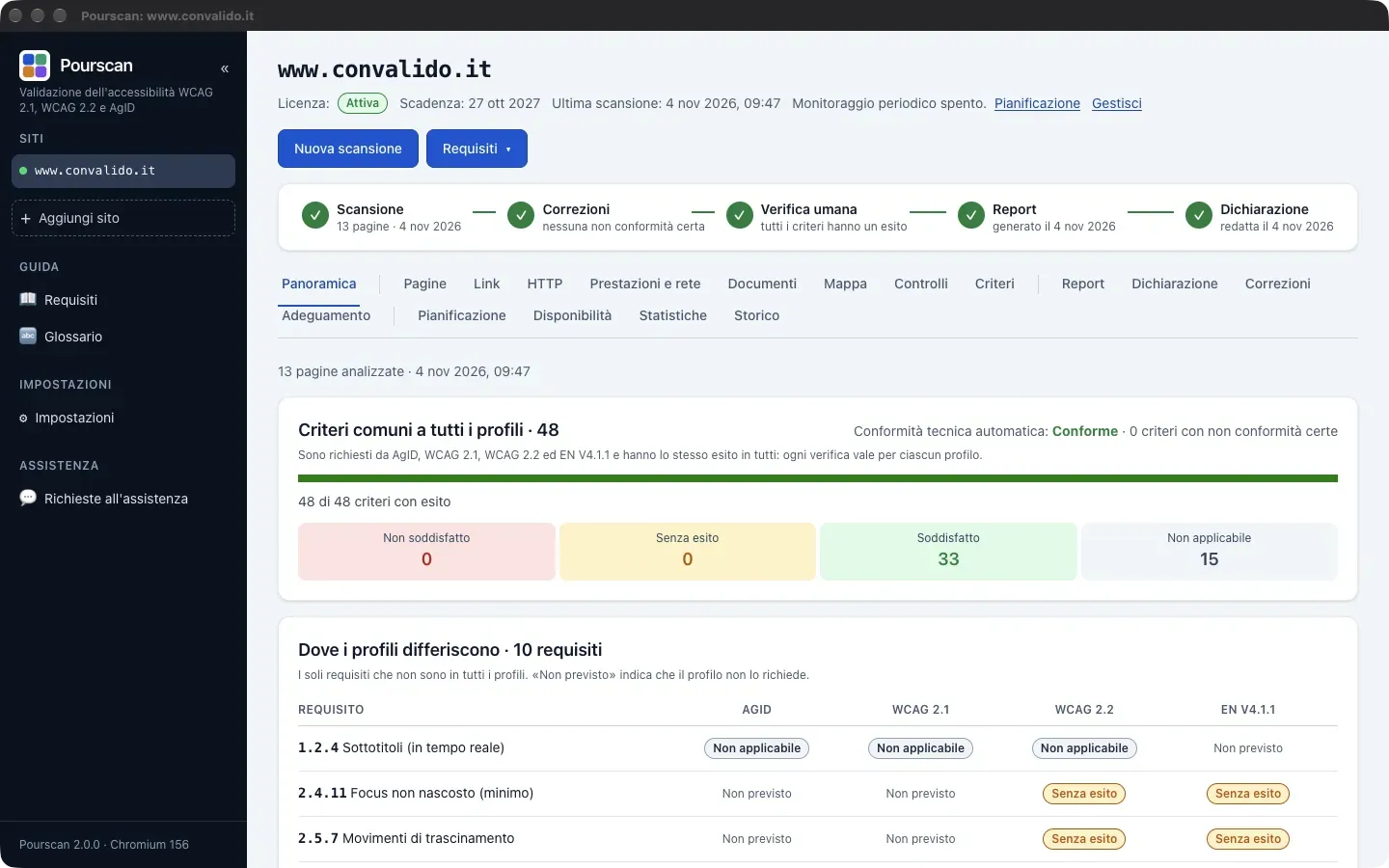
When you open a site in Pourscan, the path is at the top: scan, fixes, human verification, report and statement. Each step shows your progress and takes you to the relevant section. The overview displays the criteria shared by all profiles only once, that is AgID (WCAG 2.1 AA through EN 301 549), WCAG 2.1, WCAG 2.2 and EN 301 549 V4.1.1, and presents those that differ separately.
Guided simulations for manual WCAG assessment
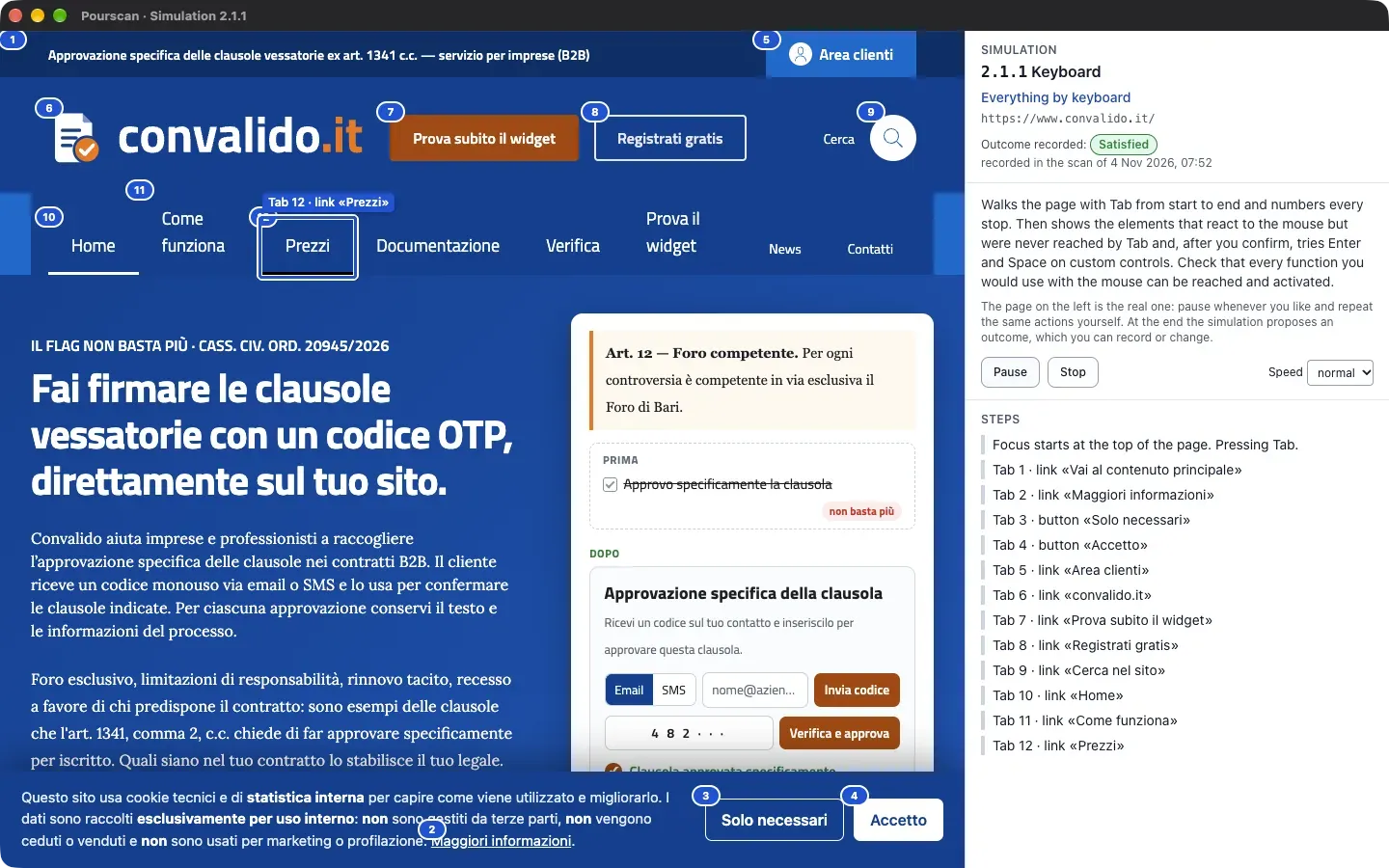
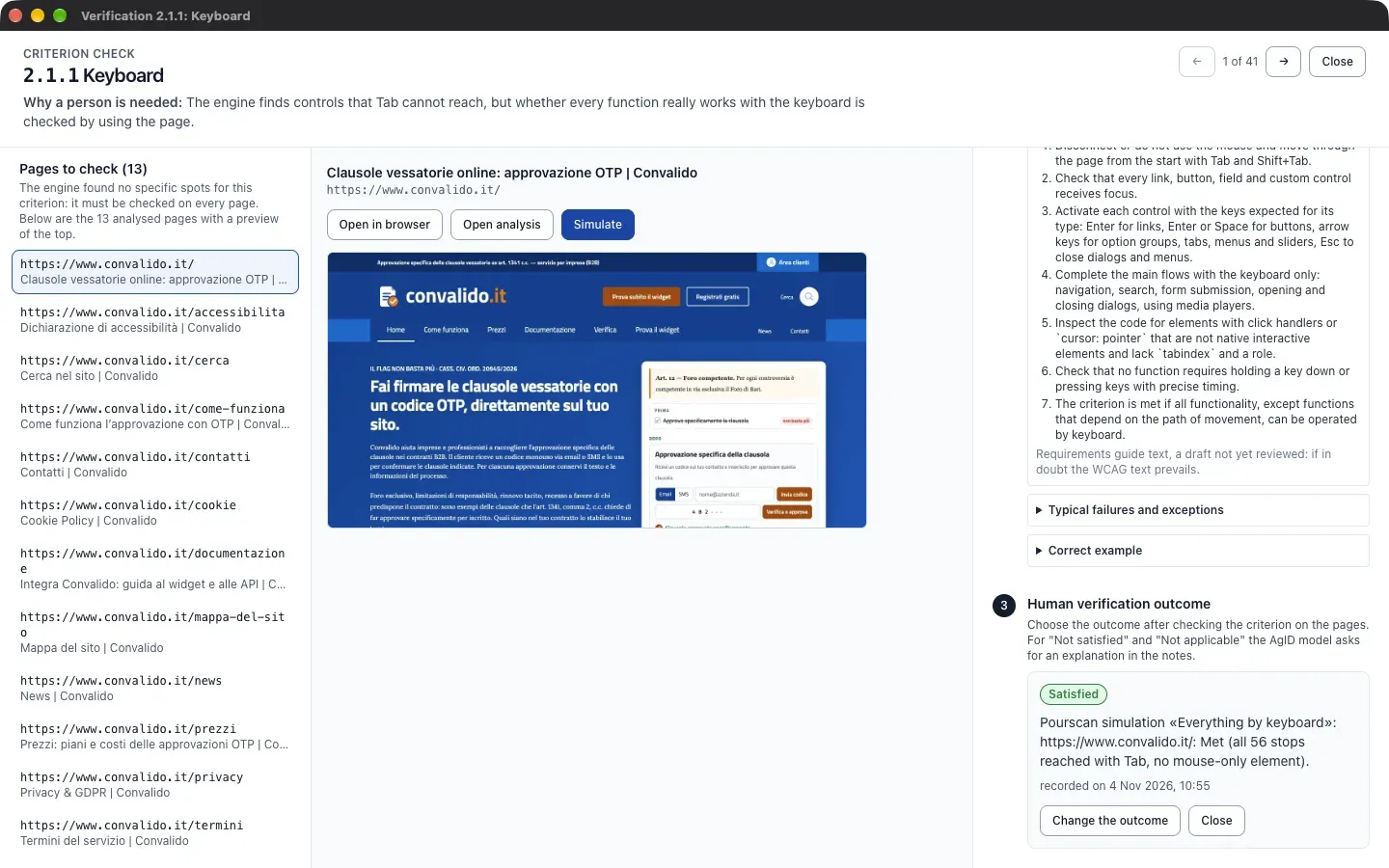
The biggest new feature is the Simulate button. For each criterion that requires manual assessment, Pourscan opens the site's page in a window and repeats the testing steps in front of you.
For the keyboard, it follows the full keyboard navigation sequence using Tab and tries Enter and Space on controls. For presentation, it zooms the page to 200% and to a 320 CSS pixel wide viewport, applies the text spacing set out in WCAG and moves the pointer over content that appears on hover. For reading, it simulates screen reader output from the page's accessibility tree, including spoken output through speech synthesis. You can pause whenever you like and repeat the same steps yourself.
 (enlarge)
At the end the simulation suggests a result with an explanation, page by page or across every page of the site, which you can review and confirm with one click. When the simulation cannot suggest a result, Pourscan points out what to check manually.
How to fix accessibility errors in the code
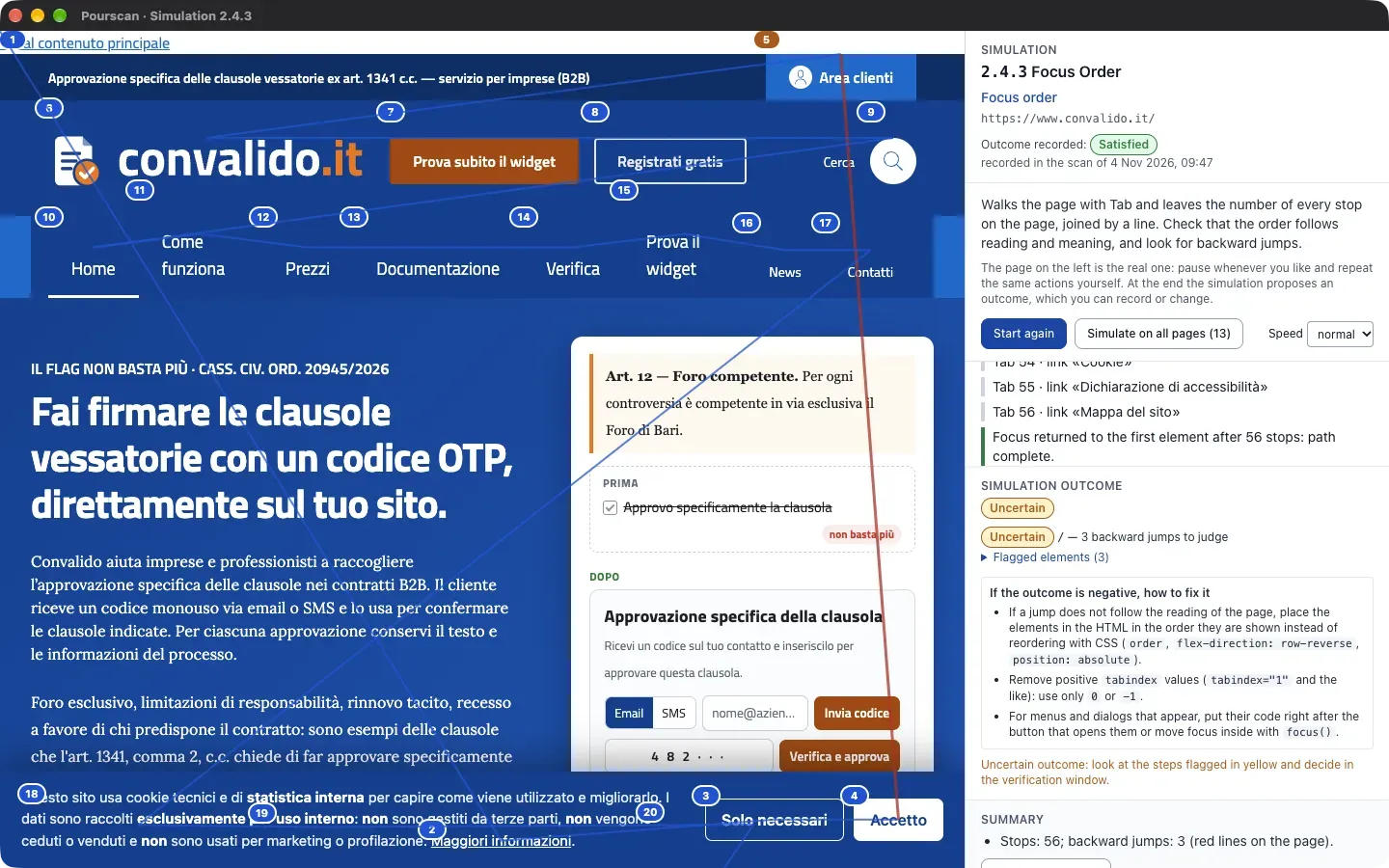
A simulation that finds a problem does not stop at flagging it: it explains in technical terms how to fix it, with the code to use and the elements involved. Removing an outline: none that hides focus, adding the autocomplete attribute with the appropriate value to a field, putting elements back in order in the code: guidance a developer can apply right away.
 (enlarge)
Every page analysed: desktop, mobile and 320 pixels
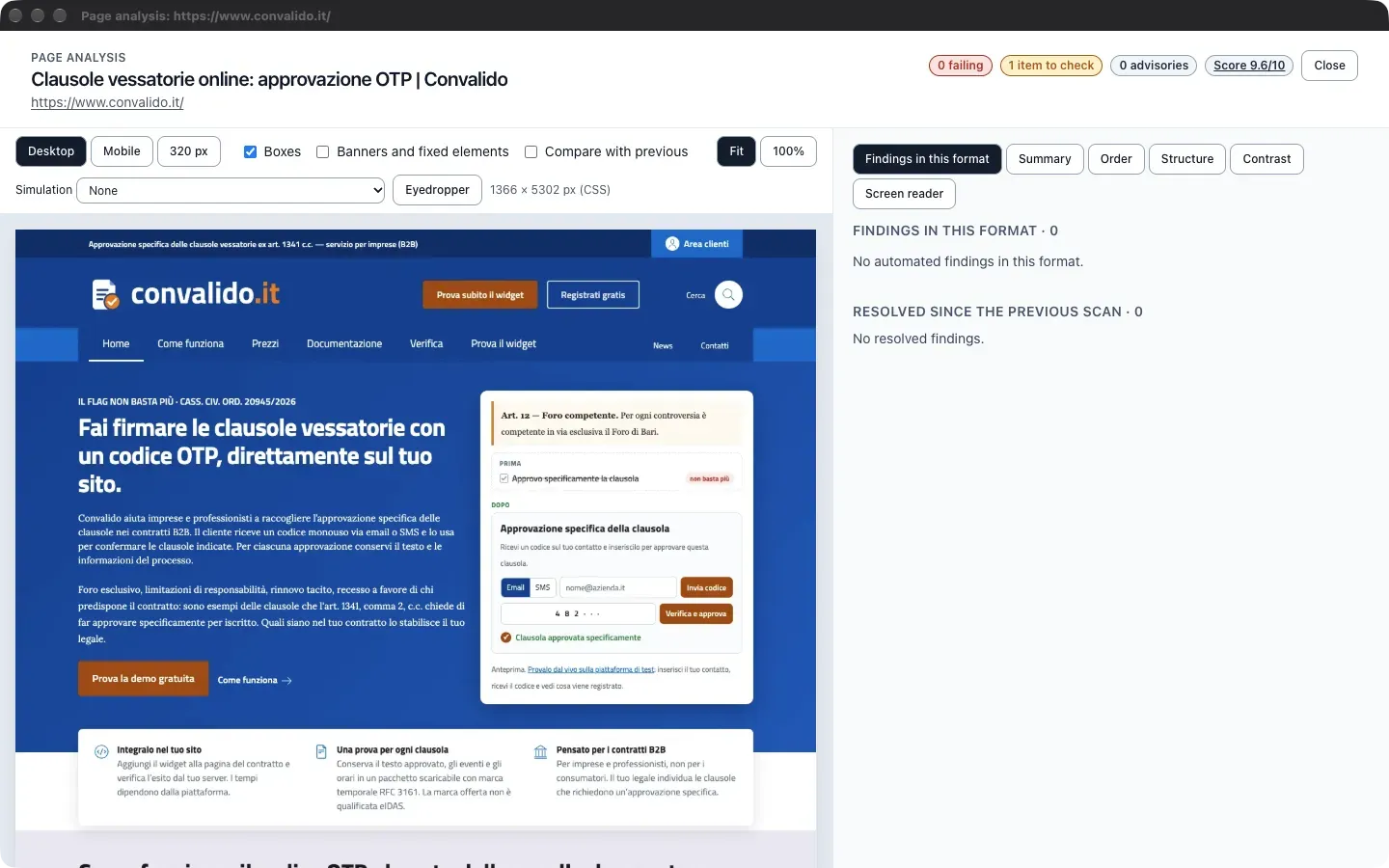
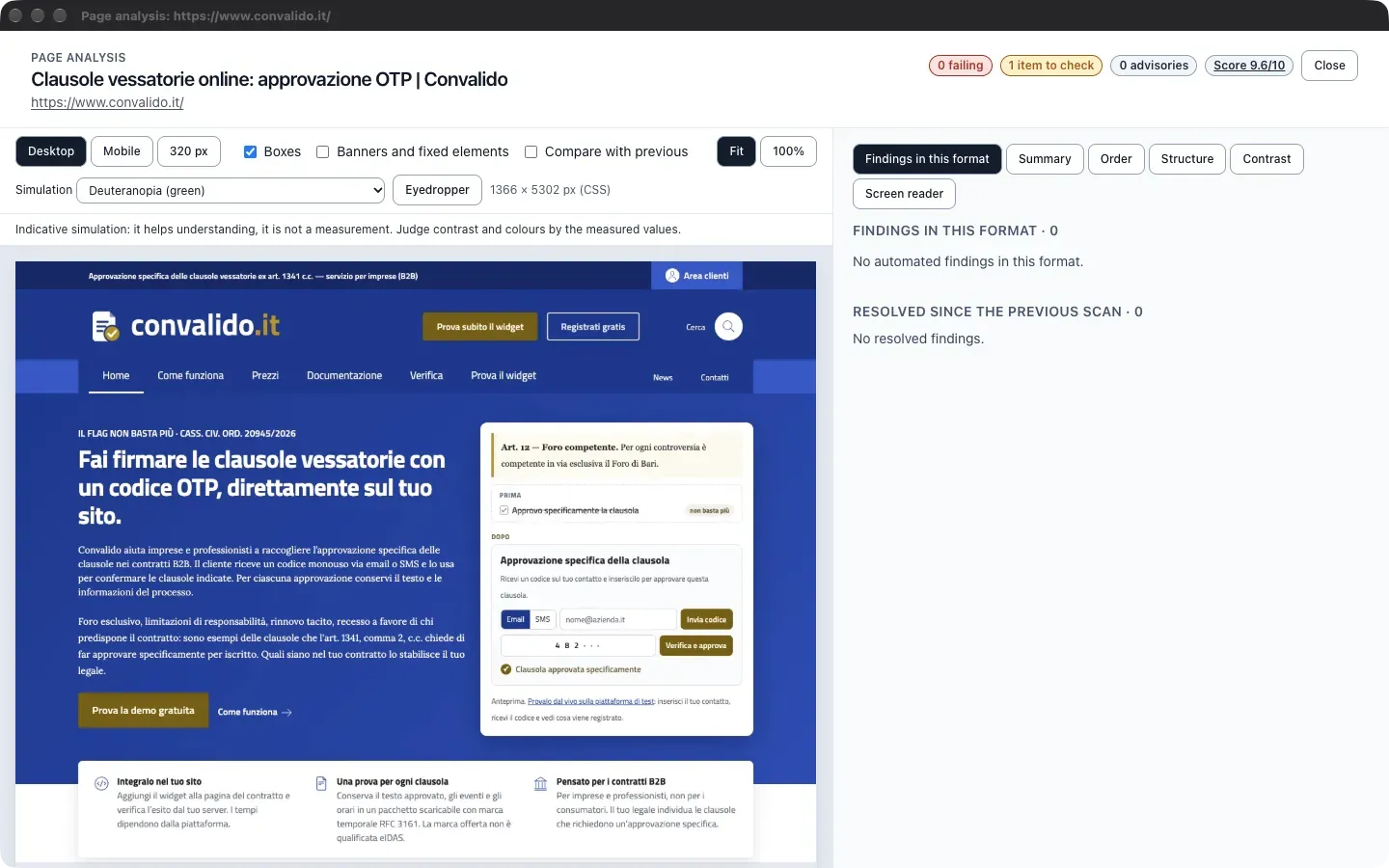
The analysis of every page shows screenshots in desktop view, mobile view and at a width of 320 CSS pixels, with findings overlaid on the screenshots, the Tab order, the heading structure, the measured contrast ratios and the simulated screen reader output.
 (enlarge)
Vision simulations: colour blindness, low vision and more
There are now fourteen vision simulations: besides the forms of colour blindness there are blurred vision, low vision, cataract, glare, tunnel vision and central vision loss. The simulations help you understand some possible visual difficulties, but they do not exactly reproduce every person's experience; the contrast measurements are what count for the values.
 (enlarge)
Results carried over to later scans
A result recorded in human verification is carried over to later scans as long as the pages' HTML stays the same; if a page changes, the criterion is flagged for reassessment. Pourscan compares the normalised code, without the tokens, dates and scripts that change at every visit, to avoid triggering reassessment because of irrelevant changes.
This is how the app behaves, not a guarantee about the assessment: changes to CSS or to how the page behaves can also affect accessibility, so it is good practice to review results after significant work on the site.
 (enlarge)
AgID report and data for the accessibility statement
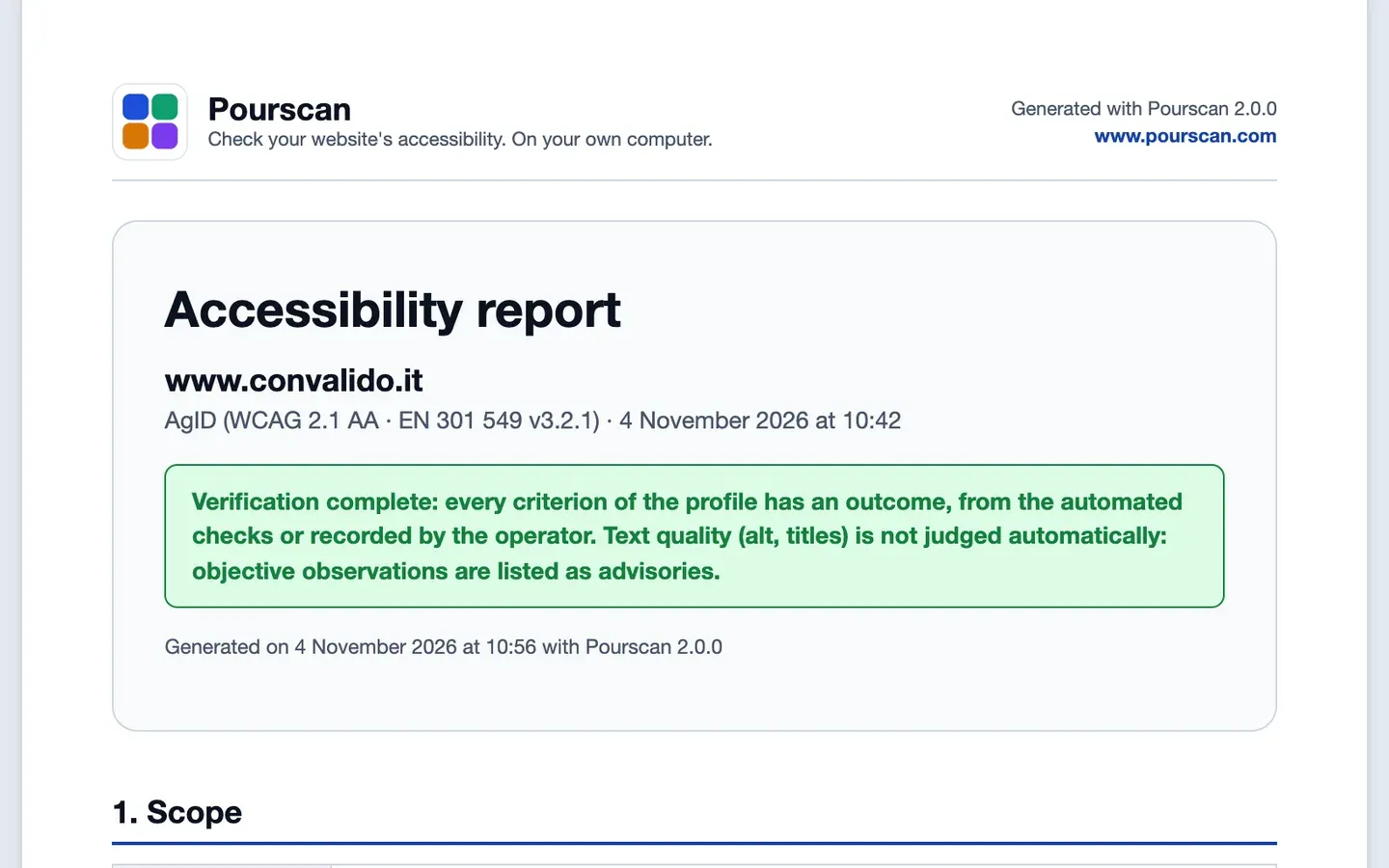
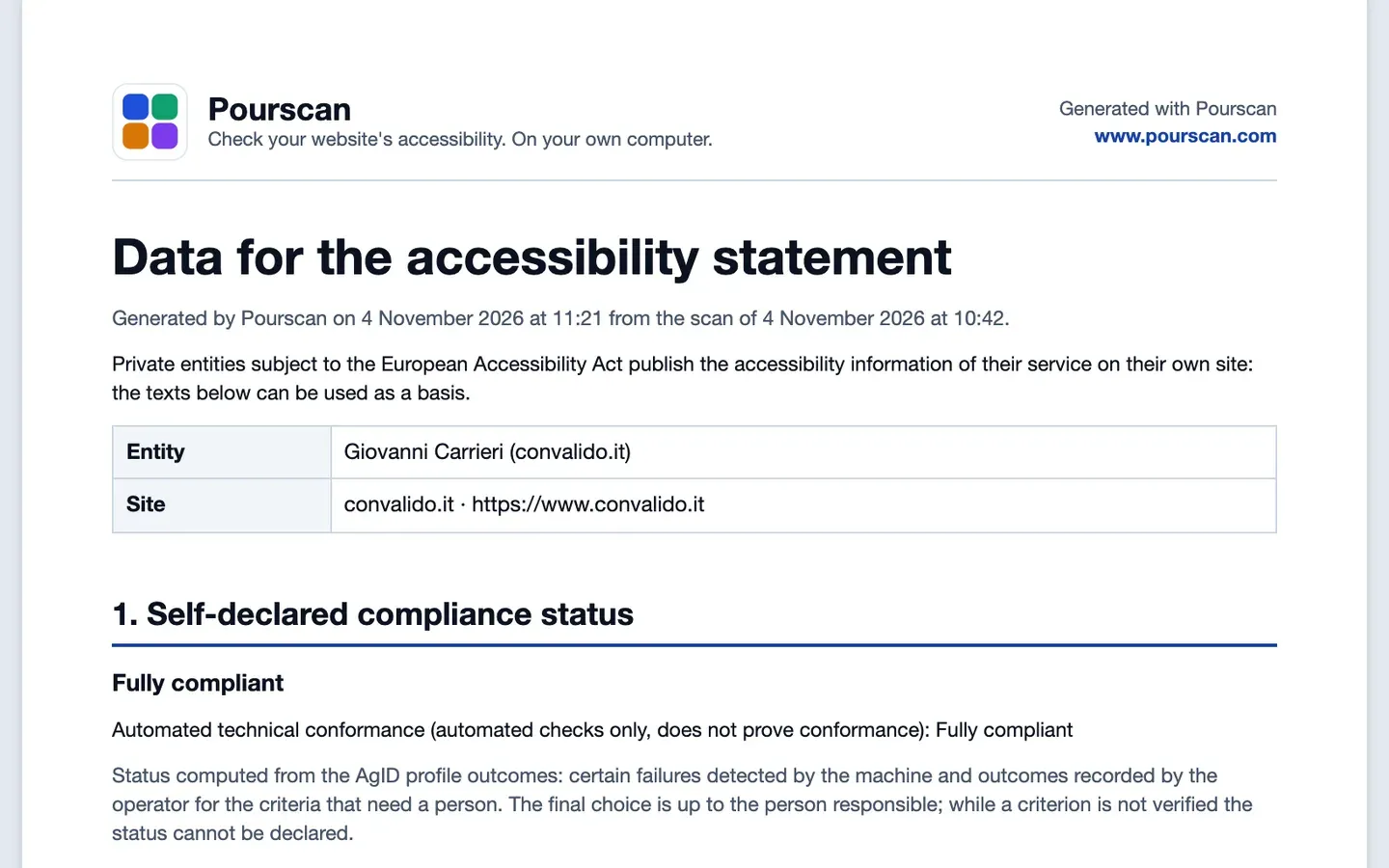
At the end of the path there is the accessibility report, in HTML and PDF, with the AgID self-assessment model and page-by-page detail. Next to it is the data for the statement: the conformance status calculated from the results and ready-to-use text to copy.
The obligations, however, are distinct. Italian public administrations and the other entities covered by Law 4/2004 fill in the accessibility statement on the AgID platform. Private entities covered by the European Accessibility Act, in Italy through Legislative Decree 82/2022, instead publish information on how their service meets the accessibility requirements: the data prepared by Pourscan also helps to draft it.
 (enlarge)
 (enlarge)
What else is new in Pourscan 2.0
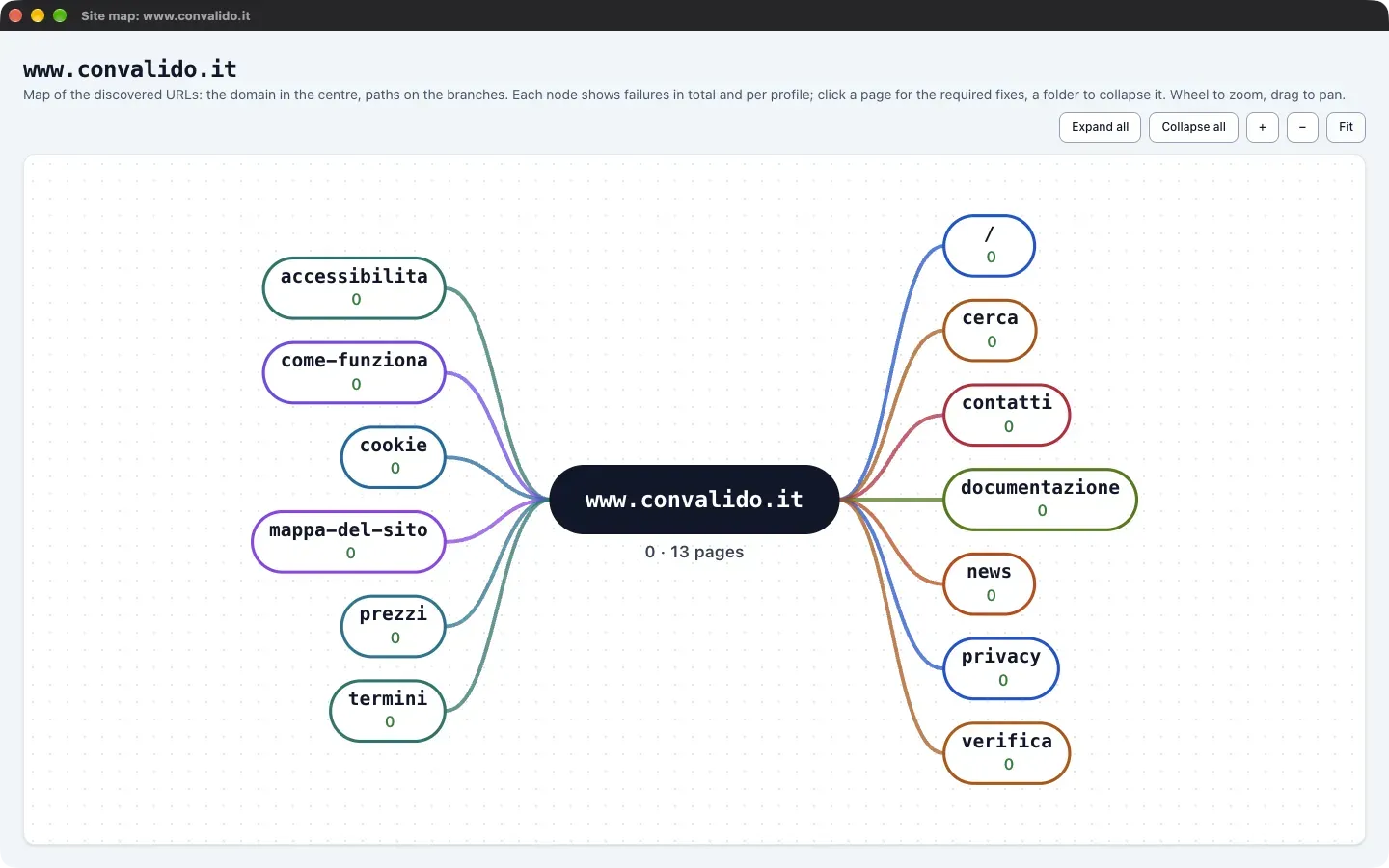
Version 2.0 also brings the site structure graph, statistics over time, the Checks tab listing all the rules applied during the scan, analysis of performance and network requests, a requirements guide with a glossary and a remediation package to share with a developer or an LLM.
 (enlarge)
The app retains its core approach: it runs locally, keeping pages and screenshots on your computer.
To see everything in motion we prepared a page with Pourscan screenshots and videos, and the full list of features is in How it works. You can download Pourscan and try it on your site or, if you would rather we did the work, look at our remediation service.